Personal project · 2026
A study system for learning a technical field fast
I needed to get fluent in identity and access management quickly for a solutions engineering interview. So I built a study system: a course written to a learning method I designed, and an app that turns the lesson files into a daily plan with spaced review, flashcards, and drawing drills.
What I built
Reading about a field and being able to explain it under pressure are different skills. The method is built around the second one: say it, draw it, and come back to it before you forget it.
- A fixed 12-part lesson format: what we're learning, a plain-language explanation, a real-world analogy, the problem it solves, how it works, the pieces, a diagram, a link to my own experience, three audiences, a customer scenario, common mistakes, and a quiz.
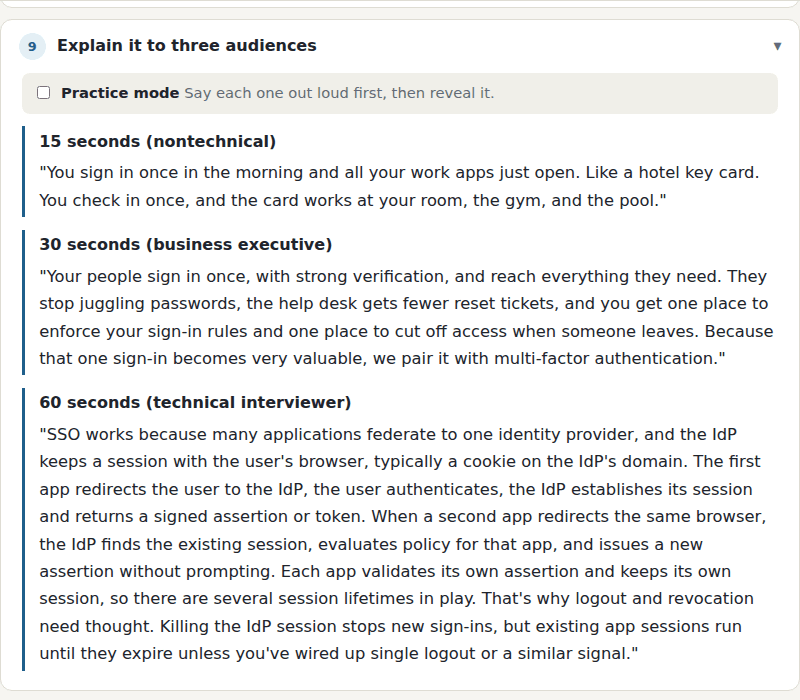
- An "explain it to three audiences" section in every lesson: 15 seconds for someone nontechnical, 30 for an executive, and 60 for a technical interviewer, with a practice mode that hides each answer until I've said mine out loud.
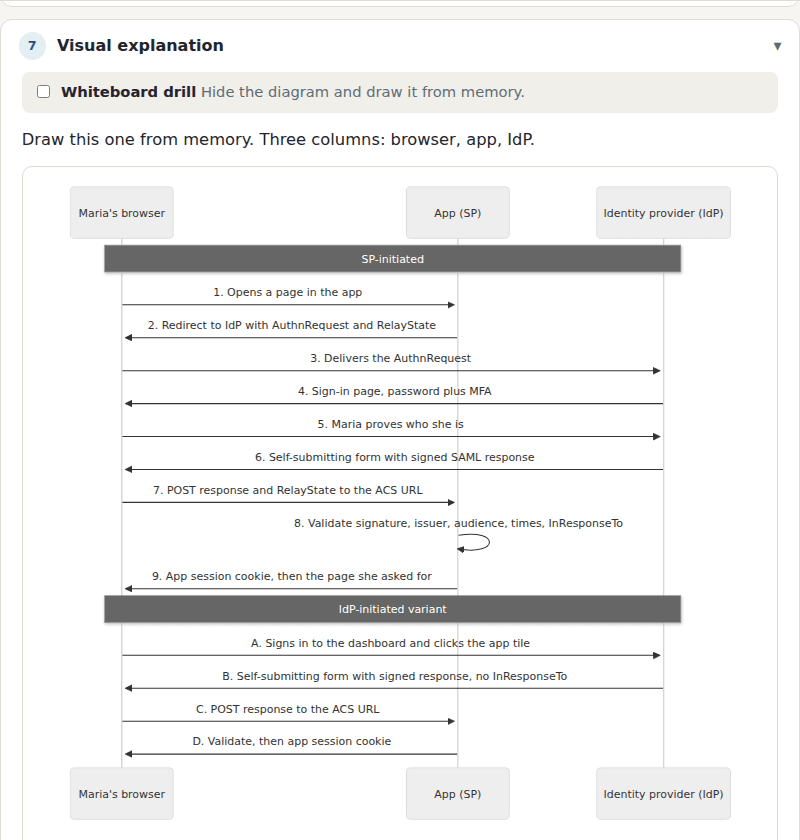
- Whiteboard drills. Each diagram can be hidden so I draw the flow from memory before checking it.
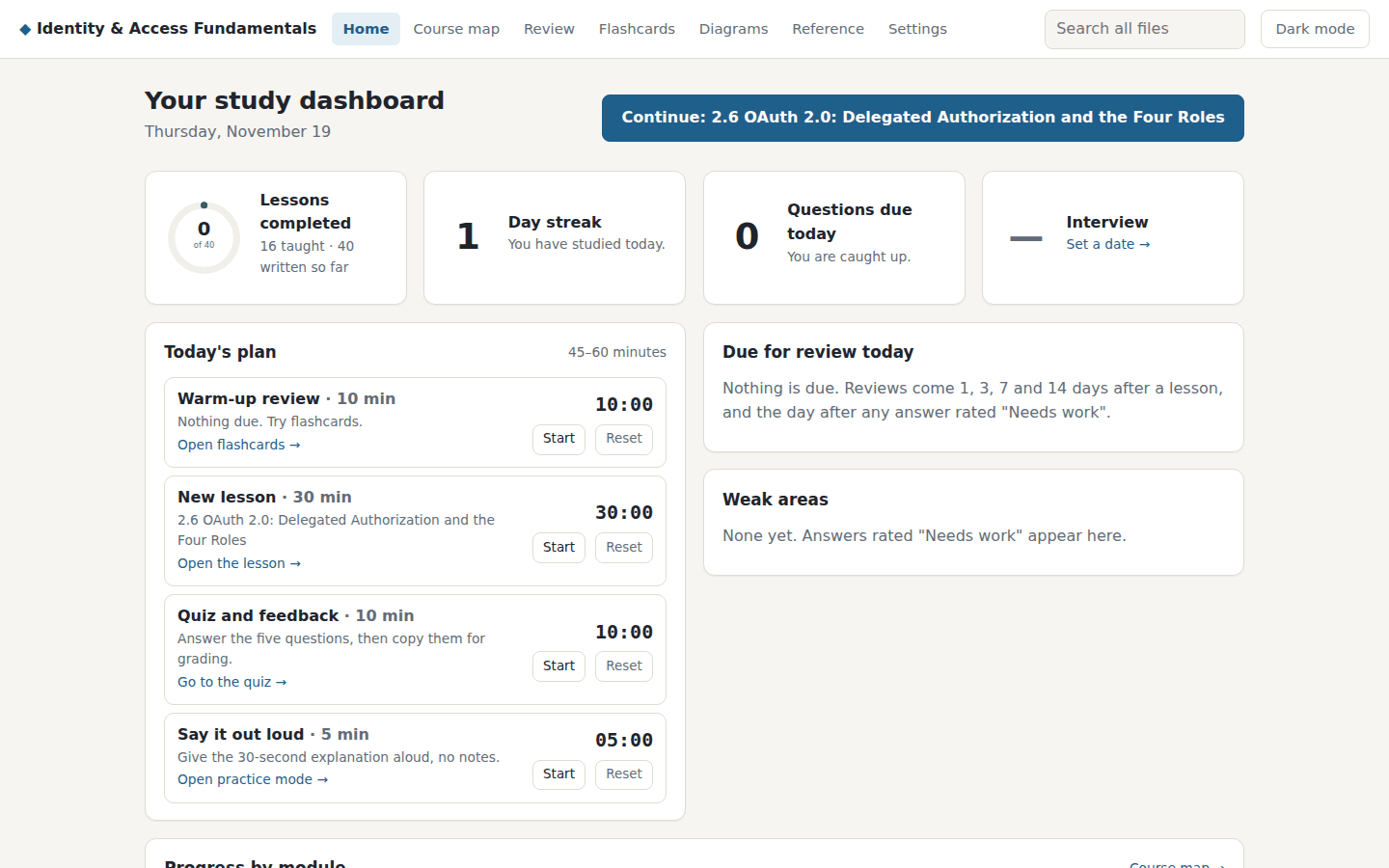
- A daily plan with timed blocks (a warm-up review, a new lesson, a quiz, and a say-it-out-loud drill) and reviews scheduled 1, 3, 7, and 14 days after a lesson, plus the day after any answer I rate "needs work."
- Quiz answers copy out in one click for grading in a Claude project, so feedback comes from the course material rather than from memory.
- The app reads the Markdown files every time a page loads and never copies course content into code. A new lesson appears on refresh, and pointing the app at a different folder gives you a different course, title and all.
Worth knowing
Honest split of the work: I designed the method and built the app. Claude drafted the lessons to that format, from a shared brief, and I'm the one working through them and checking what they say.
It has no login, so it runs only on my private network. The course I built it for also covers one vendor's products; the screenshots here stick to the vendor-neutral modules.